How to Check WAEC Result Without Scratch Card | FOR FREE

0

Can you Check WAEC Result Without a Scratch Card? Yes, you just need your PIN and serial number mainly. The West African Examinations Council (WAEC) is one of the most recognized examination bodies in West Africa, responsible for conducting the West African Senior School Certificate Examination.

How to Check WAEC Result Without Scratch Card

In this article, we provide a detailed guide on how to check WAEC results without a scratch card, along with frequently asked questions (FAQs) to address common concerns.

What is a waec scratch card?

A scratch card is a voucher sold by WAEC for result checking. However, WAEC now provides an online result-checking portal, eliminating the need for physical scratch cards. With a waec scratch card, you will be able to check your waec result with ease.

About Weac Result Checking

The West African Examinations Council (WAEC) conducts the Senior Secondary Certificate Examination (SSCE), an examination for students in West Africa.

After taking the exam, candidates eagerly anticipate checking their WAEC results. Checking WAEC results require the use of a scratch card, however, with the recent introduction of the new method, students can access their results online, eliminating the use of scratch cards.

Here are some key points about checking your WAEC results;

  • Checking your WAEC result is essential for monitoring your academic progress and evaluating your performance in the examination.
  • It provides valuable information about your grades and overall performance, which can influence your future educational and career paths.
  • Your WAEC result is a requirement for various admission processes into tertiary institutions.
  • Some scholarship programs require WAEC results for eligibility and selection.
  • Checking your result enables you to explore scholarship opportunities and increase your chances of securing financial support for further studies.

How to Check WAEC Result Without a Scratch Card

To check your WAEC result without a scratch card;

  • Visit the official WAEC result-checking portal.
  • Enter your WAEC examination number in the designated field.
  • Select your examination year from the drop-down menu.
  • Select the type of examination.
  • Enter your PIN and serial number.
  • Click on the “Submit” button to submit your information.

Wait for the system to retrieve and display your WAEC result.

Frequently Asked Questions (FAQs)

Can I check my WAEC result without a scratch card?

Yes, you can check your West African Examinations Council result without a scratch card using the West African Examinations Council result-checking portal mentioned in this guide.

What information do I need to check my WAEC result without a scratch card?

You will need your West African Examinations Council examination number, examination year, PIN, and serial number to check your result without a scratch card.

What should I do if I encounter any issues while checking my WAEC result without a scratch card?

If you face difficulties or encounter technical issues during the result-checking process, contact the WAEC support team through their official helpline or email address for assistance.

Conclusion

Checking your WAEC result is useful for monitoring your academic progress and planning your educational journey. By following the detailed guide provided in this article, you can quickly check your West African Examinations Council result without the need for a scratch card. Stay updated with official announcements.

Check out:
www.zipscarwash.com – Zips Car Wash

Zips car wash is one of the best car wash franchises that can help in getting your car as clean as possible. This car wash company has grown so big that they even have a website. Through www.zipscarwash.com you can locate their official website.

Zips Car Wash

Zips Car Wash

Zip is among the fastest-growing express car wash chains in the country, they have been operating over 235 locations across 22 states with over 17 years of car washing experience. They tend to give a better service and make things easier for their customers via their online access.

They have invested in industry-leading technology, creative hiring, and training methods. Furthermore, local partnerships, and a laser focus on customer care as driving forces behind Zip’s growing business model.

Zips Car Wash Near Me

If you have been finding it hard to locate the nearest zips to your location, you will be able to do that through this page. Zip has made it very easy for you to locate their nearest store in your area you need to follow some guidelines.

How to Locate the Nearest Zips Car Wash

As long as you have an internet connection you will be able to locate the closest Zips car wash nearby. Follow the step below to locate the nearest zips to you:

Once you have done that, you will see the nearest store to your area.

Zips Car Wash Membership

If you are a member of Zips, you will be able to use any of their store locations that accept unlimited wash club memberships. If you want to get the unlimited offer of service you will have to be a member first. You will start will $15, which gets you one month o unlimited services from one of three awesome membership levels.  There are three membership plans you can join and they include:

AWESOME – which is their Wash & Dry – This plan is a super solid option gets the job done. Give your car or standard power wash and dry, this will leave your car looking tidy and clean. You will get a basic wash and power Dry in this plan.

AWESOMER – which is their Wheels & Wax – Through this offer after their job, your paint will be looking pristine and get your wheels in tip-top shape. This is the ultimate achievement in suds and shine. You will get Z-Wax, Triple Foam, Tire Shine gloss, Foam detergent, Spotless rinse, and Power Dry in this plan.

AWESOMEST – which is their Works & Wow – Your car will get a thorough wash, liquid gloss, clear protect and rain repel team up to create the strongest and longest-lasting protection. You will be able to get liquid Gloss, Clear Protect, Rain Repel, Z-Wax Coating, Triple Foam Conditioner, Tire shine gloss, Foam detergent, Spotless rinse, spotless rinse, and power dry.

Zips Car Wash Cancel Membership

It is not that hard to cancel your zips membership, you will be able to do that in no time. Furthermore, it takes up to 72 hours or 3 business days for your request sent to the Zip Car wash team to be processed.

Well, it can take up to a week before the annual membership billing date, in order for your cancellation request to be successful. Your membership would still be renewed and you would still be charged if you file to request for cancellation a week before the billing date.

How to Cancel Zips Car Wash Membership Via Their Website

If you have been finding it hard to cancel your Zips car wash membership, you are in the right place at this moment. Follow the step below to file a request to cancel your membership with Zips Car Wash:

  • Visit their official website request page at https://zipscarwash.zendesk.com/hc/en-us
  • once you get to the page you can fill in your email address, first name (required), last name (required), phone number(required), location, membership # or RFID (optional), what can we assist you with today, subject (required), and description.
  • Then you can add attachment (optional) and click on “submit” it is in a black background.

If you are done answering all the necessary question you can click on submit and follow the remaining onscreen process.

Zips Car Wash Prices

This are the free vacuums with wash prices

  • $6.00 for basic Exterior Wash (Per One)
  • $8.00 for basic Plus Cleaners & Conditioners (Per One)
  • $10.00 for Advanced Shine, Seal & Protect (Per One)
  • $14.00 for Zip’s Complete Car Care Program (Per One)

These are the discount and gift cards prices

  • Basic Exterior Wash is just $30.00
  • Basic Plus Cleaners & Conditioners just $40.00
  • Advanced Shine, Seal & Protect just at $50.00
  • Zip’s Complete Car Care Program is just $70.00

One of their most popular services is their 3-minute ride-thru tunnel wash. Just go through their wash, relax and let the conveyor mechanism clean your car.

check out:

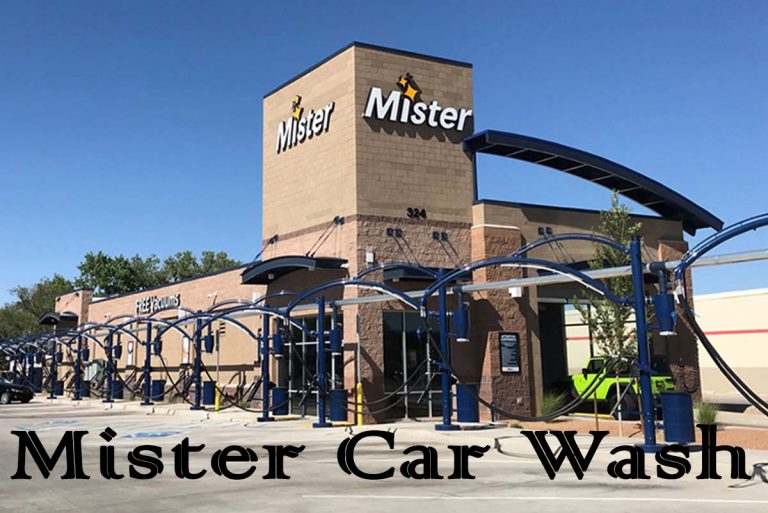
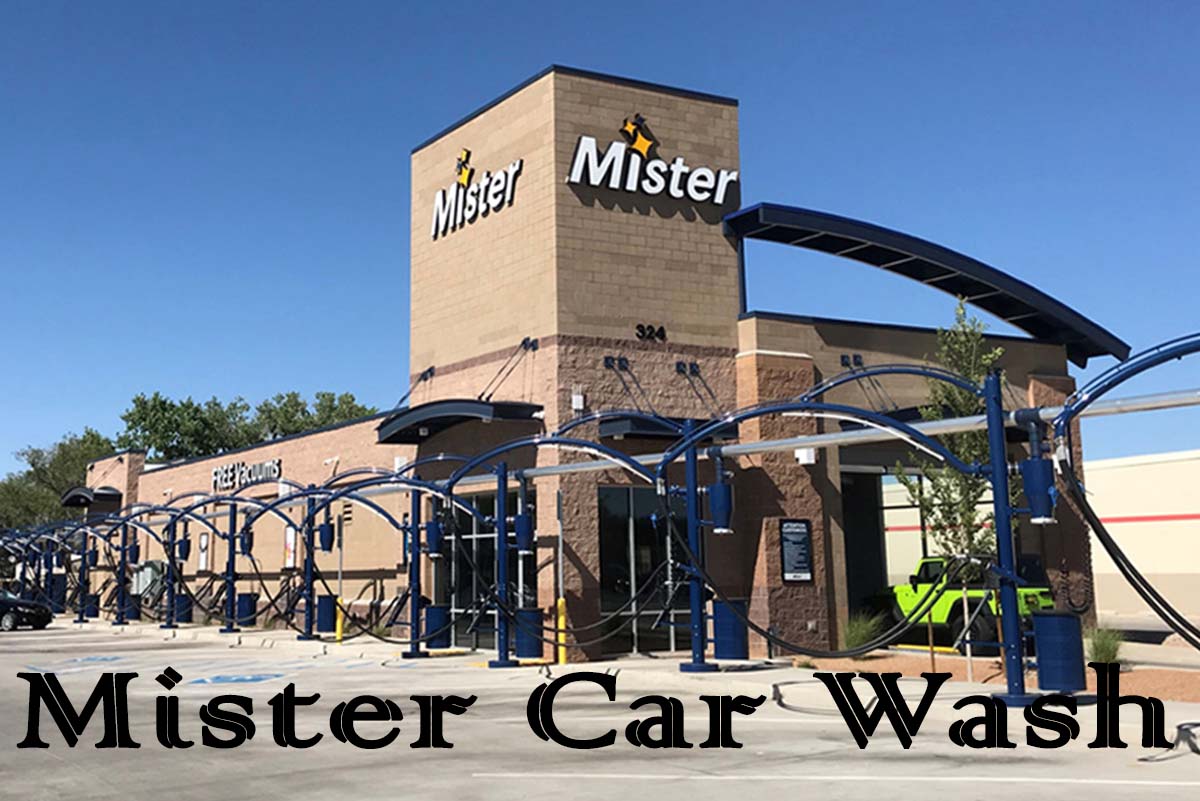
Mister Car Wash – How to Apply for a Job at Mister Car Wash 

By now you are supposed to know that mister car wash is one of the largest car wash chains in the USA. In oil change expression locations, they have over 30, while in facilities the company has over 300. Moreover, this car wash is a large growth car chain owned by the public held.

Talking about Mister car wash, this car wash franchise is one of the best car wash brands offering express exterior and interior cleaning services. express exterior cleaning services are offered by Express Exterior Locations, Interior Cleaning Locations offers both express exterior and interior cleaning services.

Mister Car Wash 

If you are on this page right now it means you wish to know about Mister Car Wash. Most people have been looking for a good site to get information about Mister car wash. Hence, If you are on this page because of that, you will have to read through this page to understand everything regarding the Mister car wash and how it works.

If you wish to know the kind of industry, they are automotive just like other industries/commercial services. Their financing status is private equity backed and the NYS stock exchange is been offered by them. One of their primary offices is located is 222 East 5th Street Tucson, AZ 85705 United States.

This means it is a company whose ownership is organized vis shares of stock. furthermore, they are intended to be freely traded on a stock exchange or in an over-the-counter market. whereas, This car wash chain is so big that it has its website. The website allows you to access necessary information needed by their customers as well as their employees.

Mister Car Wash Careers

Do you wish to join the mister car wash team? If you are? You can join by going to any local store to apply. There are other ways to join the largest car washing company, you can apply online at “Careers.mistercarwash.com” and through that site, you will be able to join them. A wide variety of benefits which include competitive pay, paid time off earned from day one, generous benefits, and free car washes are received by their new team members.

How to Apply for a Job at Mister Car Wash 

Follow the steps below to know how to apply for a Job at Mister car wash online:

  • To apply for a job, make sure you have an internet connection to the device of your choice. (e.g., phone or laptop).
  • Open any web browser of your choice.
  • On the web browser search bar type Careers.mistercarwash.com, that click on the search button/icon.
  • The online porter will open up, if you scroll below you will see four aspects of a job offer, which are Field positions, field management, maintenance, and Headquarters.
  • click on the one you want to apply for.
  • When you click on it you will see the result, click on apply to your preferred one.
  • A new page will up open asking you to fill in your email address and password if you don’t have an account create one and sign in.
  •  When you sign in you will be asked to fill in personal information which includes your first name, last name, suffix, LinkedIn profile, phone number, phone type, referred contact method, state/province, address lines 1 and 2, city, zip/postal code, and how did you hear about this job.
  • you can now click on “next” to answer some questions in the Questionnaire section and click “next” after you have filled in answers to all the questions.
  • Then click on the empty box that says I agree to the candidate acknowledgment.
  • After all that you can now click on submit to submit your application.

However, that is all you need to do to apply for a job at a master washing company online, you can view your profile to add any changes. They will take a few days to get back to you through your contact method.

Mister car wash Employee benefits

Are you thinking if the employees at the car wash company have benefits for their employees? The benefits of the mister car wash offered to their employees are one of the first things people will love to know.  If a person wants to work at a given place one of the major things, they will look at is the benefit the company offer to their employee.

The list provided below is the mister car wash employee benefits:

  • They offer life insurance.
  • Good employee discount.
  • Parental leave.
  • Employees receive monthly bonuses.
  • Paid time off.
  • Tuition reimbursement.
  • Flexible schedule.
  • Dental insurance.
  • Vision insurance.
  • Disability insurance.
  • Their employee gets free food.
  • Assistance in professional development.

Mister car wash Average Salaries 

The salary is the amount of money that the employees of the car wash company receive.  The regular salaries at mister car wash are from $7.25 to $17.80 per hour.

Read through the information below:

  • Maintenance Technician: $68,790 per year
  • Customer service representative: $15.48 per hour
  • Field technician: $73,544 per year
  • Customer care specialist: $15.43 per hour
  • Customer service manager: $1y.56 per hour
  • Lobby attendant: $10.59 per hour
  • Industrial mechanic $69,296 per year

Mister car wash Managers Salaries

In this part of this article, you will be able to know all the types of manager jobs and salaries, this is for people who are good at management. Taking about the manager’s salary offer follow the list below:

  • Area Manager: $15.43 per hour.
  • Assistant Manager: $17.67 per hour.
  • Associate Manager: $16.47 per hour.
  • Call Center Manager: $44,725 per year.
  • Change Manager: $13.45 per hour.
  • Construction Manager: $75,000 per year.
  • Construction Superintendent: $112,375 per year.
  • Corporate Development Manager: $83,083 per year.
  • Development Director: $109,465 per year.
  • District Manager: $56,869 per year

check out:

How Long Do PS5 Controllers Last – What is the Lifespan of PS5

0

How long do PS5 controllers last – one of the main complaints that gamers had was about the PS5 Dual sense controller. They said that the Pad didn’t seem to have a lot of battery life when it came out in November 2020. People seem to get a low battery indicator on their screen in use for (6) six hours.

How Long Do PS5 Controller Last

The player will quickly plug it back and play from a fully charged backup controller. As a player, you will ways to know if your controller can have more battery life than what the screen is telling you.  Been compere to order game controllers like PS4 and Ps3 it gets low more often. And that seems to hold on to the PS5 with the Dual Sense controller.


How Long Do PS5 Controllers Last

The PS5 controller should have a battery life of about 12 hours. Well, some video game seems to drain the battery faster. You can see a warning pop up on your screen just after six hours of gaming.

How long should my controller last? Mediocre battery life aside, what makes the PS5’s Dual Sense controllers so much better than the old Dual Shock 4 controllers? How can you make your controller’s battery last longer? You just have to read through the content to be able to understand how long should your PS5 itself last.

What is the Lifespan of PS5

Here is something you need to know about electronics: The way you take care of them is the way they will function for you. PS5 should be able to last over five (5) years of usage. Most people have a PS1 last for 20 years and a PS3 that lasts for over 10 and they still work perfectly. There is no reason why a well-cared-for PS5 won’t last you at least a decade if older PlayStations have done that, if not longer.

Is the PS5 Dual Sense Controller the Best Gamepad?

Yes, the PS5 Dual Sense controller is one of the best gamepads on the market as of now. Even with an uncertain battery life that can’t rival that of the Xbox Series X’s controller, it has better haptics and overall feels in use. To be frank with you, the controller feels comfortable in your hands and it will take time to see a Dual sense controller to that of PS5.

What is the PS5 Dual Sense Controller Battery Life?

The PS5 Dual Sense controller has a battery that should last you for about 12 hours when it is fully charged.  Some more demanding video games seem to decrease the battery life, but not lower than 6 to 7 hours. However, well, the warning that pops up for some folks around the six-hour mark can be misleading.

You might see if it come up but still get another couple of hour of gaming time with the same controller. Moreover, it is possible to use the game for up to 10 hours in use on that one controller before you change it and probably charge it.

How Long Does it Take for a PS5 Controller to Charge?

According to Sony the producer of the controller, the PS5 Dual sense controller will be fully charged from 0% just within three hours period of time. A faulty controller, however, will likely result in a longer or lower charging time.

Can You Overcharge the PS5 Controller?

It is not possible to overcharge a PS5 controller. This is due to the Dual Sense coming with a built-in protection chip, it avoids overcharging. This means, that even if you leave the controller on the charger by accident for a long period, overnight, or while you are at work. The protection chip will ensure that charging stops once it reaches 100%. So, no overcharging should course any damage to your controller.

How to Make Your PS5 Controller Last Longer?

You can set your controller to turn off automatically if you want to get the longest lifespan from your Dual Sense controller.

You just have to go into the console’s main menu, then go to Settings > System > Power Saving. Then adjust the Set Time Until Controllers Turn Off option to either After 10 Minutes, 30 Minutes, 60 Minutes, or Off.

For sure, manually turning your controller off when not in use can help a lot. Furthermore, you can limit the number of functions used by the controller, and keeping your controller charged up regularly helps in long battery life.

How to Insert Data into Salesforce Marketing Cloud

0

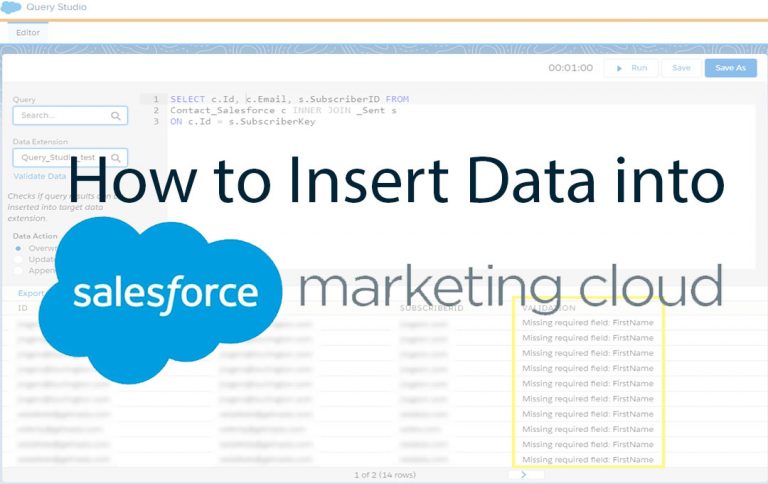
How to Insert Data into Salesforce Marketing Cloud? You will have to add your data to the platform if you wish to maximize the salesforce marketing cloud. Well, it is with this aspect of SFMC that many marketers struggle.

How to Insert Data into Salesforce Marketing Cloud

Most people find it very hard to insert the data into the marketing cloud. To be frank with you, it is not that easy for marketers to understand.  For managing the integrations some companies have pre-built mechanisms, but most useful to be overwhelmed by the array of technical options available

How to Insert Data into Salesforce Marketing Cloud

You can insert data into the Salesforce marketing cloud in three ways. However, it all depends on what sources you want to inject into your SFMC instance to consider the method you wish to use. These three methods have different ways to insert data into the salesforce marketing cloud:

  • Marketing Cloud Connect
  • FTP in Automation studio
  • DESelect Connect

Those are the three ways you can insert your data into the salesforce marketing cloud.

3 ways to Insert Data into Salesforce Marketing Cloud

If you have been finding it hard to insert the data into Salesforce Marketing, you will be able to do that with the information below:

Marketing Cloud Connect

Through Marketing Cloud, you will be able to get your data from Salesforce CRM into Salesforce Marketing Cloud. However, no-code is a useful solution that helps users get their data into SFMC to create marketing campaigns. If you are using Marketing Cloud Connect, it’s good to ensure that the marketing Cloud admin handles the all integration.

However, it is up to Admins to decide, and it’s somewhat of a time-consuming task to build a connection to which Salesforce users will have access to sending campaigns, and how marketers can use the data coming from Salesforce. Furthermore, be mindful about is that the specific integration point resales or service cloud, not the marketing cloud.

This means, that if you want to create campaigns with data from sources different from the sales or service cloud, the marketing cloud connection might not be entirely sufficient.

Moreover, it’s good to note that the data sync doesn’t happen in real-time but every 10 minutes, meaning it might not be ideal for specific campaigns requiring an immediate response.

FTP in Automation Studio

FTP stands for file drop automation and was called triggered automation before. When a file is added to a designated folder on your Enhanced FTP location is the starting of FTP in Automation Studio. It’s an excellent option to use when you want to bring in data from an external location not posted on a reliable schedule.

Well, it is ok to use other processes that involve updating files to an FTP folder. When activity occurs in that folder as a file drop automation begins automatically if you want to create an automation that starts. Well, if they drop the file into a designated Enhanced FTP folder rather than on a schedule.

FTP offers an easy setup that digests large data volumes and is a proven method to get your data into the salesforce Marking cloud through Automation Studio. Furthermore, in this era of stricter privacy concerns, a method requiring the addition of big batches of files to the platform can be risky.

Hence, if you choose to create scheduled automation, you will still have a limit to syncing in batches (it generally happens hourly). For this reason, most people don’t consider FTP to be a best practice for such work.

The lack of informative error notifications and time spent debugging the issues can be unnecessarily frustrating and time-consuming if you’re not a technical expert

DESelect Connect

For further manipulation, within the platform, if your goal is to easily insert data into Salesforce Marketing Cloud, view the add-on options, as the built-in solutions require a lot of support and effort than expected.

An app like DESelect Connect allows you to freely insert data into the platform through a webbook method, enabling you to get data from nearly any third-party instance, and requiring limited technical expertise.

With this app, you get the data in addition to the data extensions already available for marketing purposes. The difference in using a third-party add-on like DESelect Connect is that the data sync happens in real-time, which makes it a more reliable method for data integration if you have campaigns relying on real-time events.

Furthermore, since the app isn’t native to Salesforce Marketing Cloud, you have to consider implementation time and training for your team. DESelect offers this so that all team members feel more comfortable when making use of the app and their data.

What is Salesforce Marketing Cloud Connect?

Marketing Cloud Connect joins the digital marketing capabilities of the marketing cloud with data management, segmentation, and campaign management tools in Salesforce. Create unitary customer relationships with more data-driven, personalized conversations and the ability to automate the customer journey.

What is Import wizard in Marketing Cloud?

Well, the configuration of the account is necessary to use enhanced FTP to use the data Extension Import Wizard. Before you can import a file, you must create a data extension and create the import file. However, this import file must contain a header row and at least one row of data.

How Often Does Marketing Cloud Sync with Salesforce?

Seamlessly synchronize handpicked data points from salesforce to marketing cloud (unidirectional sync) with the refresh cycles as often as 15 minutes. It’s very important to note that this data synchronization does not count against API limits.

What is the difference between list and data extension in Marketing Cloud?

The List is recommended if you want a simple list of names and email addresses or want to use welcome messages or double opt-ins. The Data Extension is recommended if you want to store additional information about your subscribers and is required if you want to use Publication Lists to manage unsubscribes.

How to Implement Subscriber Opt-In Using Salesforce Marketing Cloud

0

How to Implement Subscriber Opt-In Using Salesforce Marketing Cloud – To increase your subscriber base of prospective or existing customers sharing their contact details with these businesses willingly subscriber Opt-in enables businesses in that. This can help in getting time and personalized content.

implement-subscriber-opt-in-using-salesforce-marketing-cloud


How to Implement Subscriber Opt-In Using Salesforce Marketing Cloud

How to Implement Subscriber Opt-In Using Salesforce Marketing Cloud? Well, when it comes to the salesforce marketing cloud, you have 3 clouds, you have 3 choices for implementing subscription functionality:

  • Smart capture
  • DE Manager
  • Email studio Web collect

Through this article, you will be able to understand the smart capture method.

What is Smart Capture?

The function of smart capture in salesforce Marketing cloud captures individual details from a website or a landing page. This detail is moved into the salesforce marketing cloud list, data Extension, or an external data source.

Through the information below, you will get the step-by-step process to capture the name and email address of the subscriber. Then it will go into the desired salesforce marketing cloud’s Data Extension. This tutorial is suitable for digital marketers, salesforce Marketing loud beginners who are exploring various market tech tools. The steps involve:

  • Create a Landin page in Web Studio
  • Create a new Data Extension
  • Use Smart capture block: Add smart capture block, point to the correct data extension, set the other properties like submitting action etc, and publish the landing page.
  • Test the smart capture form

Create a Landin Page in Web Studio

Follow the information below to create a landing page in web studio:

  • Go to Web studio and create a new Collection.
  • After creating a new collection, create a new landing page within it and save it.

Create a New Data Extension

There is what you have to do to create a New Data extension in the Email studio:

After you have created a standard data extension and save it with basic details like name, retention policy, and two fields namely Name & Email Address. Choose the correct data type for both fields and mark the Email address field as the primary key.

 Add a Smart Capture Block:

Open the newly created landing page and add a smart capture block by dragging from the left to the right side of the canvas. Refer to the image below for guidance:

  • Form the newly created data extension by setting the target data field point of the smart capture. On the form on the right-hand side, you will see both fields get added to the form on right-hand side.

They can also set other smart capture properties like:

  • URL redirection I.e. what happens after you click the submit button on the form
  • Add CSS Styling to the page Via JavaScript $HTML
  • Add Personalization
  • Use AMPscript

Publish the Landing page onto the Wed by clicking on the pushbutton

 Testing the opt-in/subscription form.

Here is how to test the opt-in subscription form:

  • Open the published landing page’s URL, and enter the Name & Email address of your subscriber
  • The name and email address should be added to the desired Data Extension

What is Subscriber key in Salesforce Marketing Cloud?

In your marketing cloud account, a subscriber key is a text field that contains a value that uniquely identifies a subscriber. Marketing cloud connect uses the subscriber key to identify the sales or service that could record associated with the tracking data returned from that marketing cloud.

What is opt-in Salesforce?

Use the email Opt-in template in Marketing Cloud Mobile Connect to invite people to subscribe to your email messages. In-store signs can prompt people to opt in. the Email opt-in template defines the code and keyword combination, the message they receive back and so on. Enter a name for the message


How To Pause Salesforce Marketing Cloud Journey – 3 Steps to Pause Marketing Cloud journey

0

How To Pause a Salesforce Marketing Cloud Journey – Through the pause feature, the marketing cloud allows marketers to better manage to stop journey builders. Well, it was fully recommended to make a far more travel version or somaline to make another trip.

How To Pause Salesforce Marketing Cloud Journey 2023

This feature comes with difficulties in retrieving contents from the previous activity in which they were engaged. Right here on this page, you will be able to pause your marketing cloud journey. Furthermore, it will take a few minutes to pause your salesforce marketing cloud journey.


How To Pause Salesforce Marketing Cloud Journey

How To Pause a Salesforce Marketing Cloud Journey? The process to stop the journey in the marketing cloud is now available as standard functionality.

However, it was announced in the May 2020 release, that marketing cloud users can now temporarily stop journey builder processing contacts within journeys; until then, you had to stop the trip entirely first and then create a new version, which was messy and time-consuming.

3 Steps to Pause Salesforce Marketing Cloud Journey   

You should follow the three steps available below:

Choose the pause option – you have to choose between “pause this version” or “pause all versions” to stop processing contacts. Checkout Journey Builder Interface: When you have selected one of your choice contacts processed during the trip, they will no longer receive communication.

Furthermore, the contacts queued for sending continue to be processed in the normal way. One travel version or all versions can be interrupted for a maximum of 14 days. That is if the configuring pause options, it is possible to choose whether to resume travel at the end of the pause period or to stop altogether.

You will be able to manually resume the interrupted journey at any time of your choice. And you can only extend the time for ‘Wait duration’ activities if your travel has wait activities (maybe other travel activities are part of an upcoming release?).

Take Action on Your Path – Whether for strategic reasons, to focus on promoting your event to limit your marketing campaigns, or operational reasons to avoid overlapping multiple campaigns.

pausing a trip gives you ways to optimize it, and the opportunity to be identified. it is an opportunity to work on your journey by adding or removing activities to make it more relevant to your contacts.

Continue the Journey – once the journey resumes, all contacts are evaluated according to the target defined within the journey. If the contact matches the exit criteria set by you, they will be removed from the trip.

How to Stop Marketing Cloud Journey

Follow the information below to stop your marketing cloud journey:

  • You just have to visit Marketing Cloud.
  • Then In marketing cloud Journey Builder and choose Journey Builder.
  • Click on the Journey you wish to stop
  • Click on the Pause button at the top right. You will see the option to choose a single version or all versions of your running journey If you have multiple versions of the journey. All contacts of the journey will be excluded.

That is all you have to do to stop your marketing cloud journey.

How long can a Running Journey Be Paused?

To halt processing contacts, you can pause a particular version or all versions of a journey. After a journey is paused, Journey Builder doesn’t create new sends. Contacts processed by Journey Builder and queued for sending aren’t paused. Journeys can be paused for only up to 14 days in 1-day increments.

Can You Delete a Journey in Marketing Cloud?

You will be able to delete a draft and inactive Marketing Cloud journeys in Journey Builder. All its goal and performance data are permanently removed when you delete an inactive version. The journey’s cumulative totals still include the goal and performance data tied to it. Yes, it is important You can’t recover deleted drafts.

What Happens If I Delete a Contact on Salesforce?

The deleted contact will be moved to the Recycle Bin. If you undelete the contact, any associated records are restored, including any inactive Self-Service usernames. Another contact will become the primary contact in its place If you delete or remove an activity’s primary contact.

Bluewave Express Car Wash – Bluewave Express Near Me

0

You will feel proud just because you are driving a sparkling vehicle. At Bluewave express car wash, they value taking outstanding care of our customers and taking care of the environment at the same time.

bluewave express car wash

You can locate their official website online at bluewaveexpress.com. From Monday – Sunday 7 am to 8 pm Bluewave store is still open, so, you can pay a visit as long it is in that period.

Bluewave Express Car Wash

Bluewave is ready to wash the exterior of any vehicle that purchases at their store. They are taking care of the outside of your vehicle and cleanse the inside with their free industrial-strength vacuums.  Well, your vehicle won’t get scratch Bluewave uses a soft-cloth material for washing. The vehicle below do not qualify to wash at Bluewave include:

  • Vehicles with auxiliary tanks
  • Jeeps with off-road packages
  • Flatbed trucks
  • Dually trucks

Those modifications and vehicles are not qualified to wash at Bluewave. You need to take note of the kind of vehicle you bring to their store.

How to Wash My Car at Bluewave

You should not find it hard to let Bluewave wash your car. You just need some guidelines to follow below:

  • You just have to locate the nearest Bluewave in your area and pay a visit.
  • view their wash menu, and select one of your choices.
  • Select the wash level.
  • Then you can insert payment.
  • You will see the gate lift; you can pull forward.
  • A Bluewave customer care agent will guide them into the tunnel.
  • The customer care Agent will signal for the customer to stop, put the vehicle in neutral, remove hands from the steering wheel, and remove feet from the pedals.
  • While the washing is going on sit back and enjoy the ride.

Those are the few steps you have to take when you want to get your car cleaned at Bluewave. You can make your payment with cash and any other major credit card.

How to Sign Up For Bluewave Unlimited Plan

A lot of Bluewave customers find it very easy to sign up for the unlimited plan. Follow the step below to start the process right at the pay station:

  • Just simply select the unlimited wash plan.
  • Select the wash package of your choice
  • Then insert your credit or debit card
  • Quickly take the receipt to the customer care office immediately after your wash
  • Complete the agreement.
  • A customer care agent will install your unique tag with your preselected wash onto the wind onto your vehicle’s windshield.
  • Enjoy unlimited car washes.

If you are already in the vacuum area:

  • You just have to visit the customer care office; it is located towards the entrance of the wash tunnel.
  • Then request to join the monthly unlimited plan, also known as the endless wave club.
  • Complete the agreement form
  • Inform the customer care agent of the wash level you would like to have access to.
  • The customer care Agent will install your unique tag with preselected wash onto your vehicle’s windshield.
  • Enjoy unlimited car washes

Those are the steps you have to follow in other to get the Bluewave unlimited plan.

Bluewave Express Near Me

Do you know how to locate the nearest Bluewave to your area? If you don’t, you should be glad to be on this page right now. Access the closest Bluewave store to your area with the information below:

  • You just have to pay a visit to Bluewave official website at https://bluewaveexpress.com/
  • Once you get to the website you just have to click on the three horizontal lines and select locations
  • On the newly loaded page, you just have to click on all the select between Texas, Southwest Texas, San Antonio Area, Rio Grande Valley, Houston, or California
  • Once you have selected the area you are currently in you will see all the Bluewave located in that area.

Those ate the step you have to follow to locate the closest Bluewave to you. you just have to go through the information available to you on this page.

Bluewave Express Car Wash Membership

Well, once you are a member and have your Bluewave tag, you can take a visit to any other locations. Their endless wave membership works like a toll tag. When you sign up, you will put a card on file for automatic billing and they will install a unique Bluewave tag onto the windshield of your vehicle so you can enjoy uninterrupted washing at all their locations. However, there is no contract and you can cancel at any time.

Bluewave Tag Not Working 

Tons of things can make your tag not work. Furthermore, the Tags may stop working due to problems with the windshields. As well as bad placement, tampering, or account issues. You can get in contact with a customer care Agent to assist you with your tag and explain more about the potential problem with your tag.


Why is my iPhone Hotspot Disconnecting?

0

If you find your iPhone hotspot disconnecting, don’t be surprised. There are a lot of reasons why you may want to make use of your iPhone hotspot feature. Let’s say you may want to share data to a separate device such as an iPad or Mac iPhone.

This is when outside or away from your normal data source. Moreover, if your hotspot keeps on disconnecting, you might wonder why this happens and how you can solve the issue.

Why is my iPhone Hotspot Disconnecting?

Why is my iPhone Hotspot Disconnecting?

Why is my iPhone Hotspot Disconnecting? Just like mentioned above there are different reasons your iPhone can Disconnect. Your iPhone hotspot may likely disconnect because one of your iPhone settings is incorrect. Its cloud be the hotspot is not turned on or low-data or battery saver mode is enabled. Furthermore, it can also be an issue with your device’s setting or your network, like you are over your allotted data.

What is the iPhone Personal Hotspot?

Probably, all iPhone has a personal hotspot feature that allows you to connect to other devices when a Wi-Fi connection is not immediately available. It allows your tablet, computer, or another smartphone to connect immediately to your iPhone’s data and serves as a Wi-fi connection for your other devices. Well, this method is also known as tethering.

Why Does My iPhone’s Personal Hotspot Disconnect?

It is alright to ask why does my iPhone hotspot keep disconnecting? It’s a frustrating problem to encounter when you need your hotspot to work so that you can connect to another device. There may be more than one reason for this situation. Often, your iPhone personal hotspot might disconnect. This can happen because of many reasons, but usually, the culprit is that your iPhone’s connection itself keeps disconnecting.

iPhone Personal Hotspot Disconnecting Issue

In some cases, the problem might be with the device you are trying to connect or with your wireless carrier. After turning your hotspot on after a set period of inactivity, Apple has stated that it’s normal for an iPhone. The amount of time your hotspot can stay on without a device connected is 90 seconds.

This means if you are not doing anything with the connected device your iPhone will automatically disconnect. This help to conserve battery life on your iPhone.

What are the Fixes for iPhone Hotspot That Keeps Disconnecting?

In a time of need, if your iPhone’s hotspot keeps disconnecting, there are different options for fixing it. Here are the ways to fix your iPhone’s hotspot:

  • Turn on Hotspot
  • Over your monthly data
  • Low Data mode is enabled
  • Reconnect
  • Low power mode is enabled
  • Resetting your network settings
  • Carrier settings
  • iOS software update

you will be able to fix your iPhone hotspot through one of these methods if the first one doesn’t work move to the next one.

Turn on Hotspot

you can first of all go into your iPhone’s settings and check under cellular to see if your Hotspot is turned on.

Over your monthly data

furthermore, you can check your date usage based on your cell phone plan. A few times, you may be over allotted monthly data, which is the reason why your hotspot is not working. If your hotspot keeps on disconnecting. Try checking whether you have low data mode enabled.

Low Data mode is enabled

open your iPhone’s settings and then check the data and SIM. Low data Mode appears toward the bottom of the screen. well, if it is enabled, press to disable that option. Also connect your iPhone’s hotspot connection again, if the previous fixes have not solved the problem.

If you’re having issues keeping a mac or PC connected, you can remove the hotspot and then reconnect to it using a password.

Reconnect

To follow this solution, you should first check your iPhone’s settings. From your Hotspot check the password for the hotspot. You can change your iPhone password and then reconnect on your Mac or PC with that new password.

The issue with your iPhone personal hotspot being disconnected is as simple as it not being on. Even if you are using an iOS batá version or the official one, you can check whether it’s on by going to settings and personal Hotspot. It is all your choice, however, it may not be the best option as it uses up more battery power faster.

The low power mode is enabled

one reason why your iPhone’s hotspot is disconnecting is you are in low power mode. Though it is a good way to preserve battery life, until you connect your iPhone to a charger, it might work against you by stumbling through another process. It can also affect your device’s hotspot feature.

It is possible to disconnect low power mode through your settings, just by scrolling down and toggling low power mode off. If have enabled this, then you might now have your hotspot issue solved.

Resetting your network settings

To reset your network settings, you have to go to your iPhone settings and tap on “General”. From there, scroll down to the bottom and click on “Reset Network Setting”. After clicking on it, then this will reset those settings. Allowing you to check to see if your hotspot will work like normal.

After following all these guidelines carefully, then all your issues with your hotspot will be solved.

Carrier Settings

Most times, the problems affecting your iPhone making it disconnect from its hotspot lies with your “Carrier Settings”. You might need to update them manually if they don’t update automatically when your device is connected to a Wi-Fi network. To be able to do this you should go into your settings and enter “General”.

Enter About, scroll down to the bottom and click your SIM details, check your Network Provider version you’re using, then tap on it to update to the latest version. Therefore, reboot your iPhone and retry your hotspot option.

iOS software update

If your iPhone is still disconnecting from the personal hotspot feature, then you might have issues with your iOS version. It is good to update to the latest version of the software.

To start with that, the first step to take is to go to your settings, choose “General” tap on software update and then press what you need to to update to the recent iOS version. After the update is complete, then you should reboot your iPhone. Make sure you are connected to a charge while updating.

After it has finished, you can now try reconnecting a device to your hotspot. When your iPhone personal hotspot repeatedly disconnects again then this can be frustrating. I’m sure these tips can help you connect it and ensure that it stays connected so that you can easily go about your day while tethering to other devices.

Check Out:

Can You Add A Live Wallpaper with Sound On iPhone?

0

To personalize your iPhone experience, they are customized features that are essential. Live and Dynamic wallpaper is one way you can make your device feel unique. Well, there is a method for adding a unique sound to your Home and lock screens.

Can You Add A Live Wallpaper with Sound On iPhone?

Can You Add Live Wallpaper with Sound On iPhone?

The answer is “NO”. you can’t add Live Wallpaper with sound on iPhone. But when you are previewing some Live and Dynamic Wallpapers they will play sound. Moreover, when you have finally added them as wallpaper you will not hear sounds. Give Live and Dynamic wallpapers if you have never tried them before you might love them.

They are things you have to consider before diving in head first.  So, through this page, you will get all the information you need to know about live and Dynamic Wallpapers.

What is iPhone Live Wallpaper?

To breathe life into your smartphone and personalize your experience, modification is an easy way to your iPhone wallpaper. However, you can take your iPhone to the next level through Dynamic and live wallpaper on Amazon.

By giving flashy animation these wallpapers can add movement to your home and lock screen. However, they are a few differences to keep in mind concerning live wallpapers and Dynamic Wallpapers:

Live wallpapers on iPhone – Live wallpapers display as still images and come to life with a long press on the screen. If you apply a long press on the 3D Touch screen the live wallpapers will activate and start to move around.

They are available on the iPhone 6S and newer models that simulate the software. Furthermore, the animations only display on the iPhone lock screen.  If you add a live wallpaper to your iPhone Home Screen it will remain still.

Dynamic Wallpapers on iPhone – Dynamic Wallpapers display short video clips that play on a loop, something like a Gif.

These types of wallpapers work both on the Home screen and the Lock screen. you do not need to apply the 3D Touch screen feature for Dynamic Wallpapers to work. This feature is used in iOS 7 and newer models. You can’t personal Dynamic wallpapers.

Do iPhone Live Wallpapers Have Sound?

To be frank with you, if you add Life or Dynamic Wallpaper with sound to the iPhone Home screen or lock is not feasible. Sound is not enabled on the Apple screen wallpaper. Dynamic and Live Wallpaper only animation and nothing else.

Why Do wallpapers preview with Sound?

When you preview some live and Dynamic Wallpapers they will play sound. however, these previews are video recordings, and you will not hear sound when you install the wallpaper on your iPhone. Live and Dynamic wallpapers only include animations since Apple doesn’t support wallpaper audio.

How to Add live Wallpapers on iPhone

You do not have to take much time when adding live wallpaper or Dynamic Wallpaper to your iPhone, it is a straightforward process. Here are the steps you need to follow:

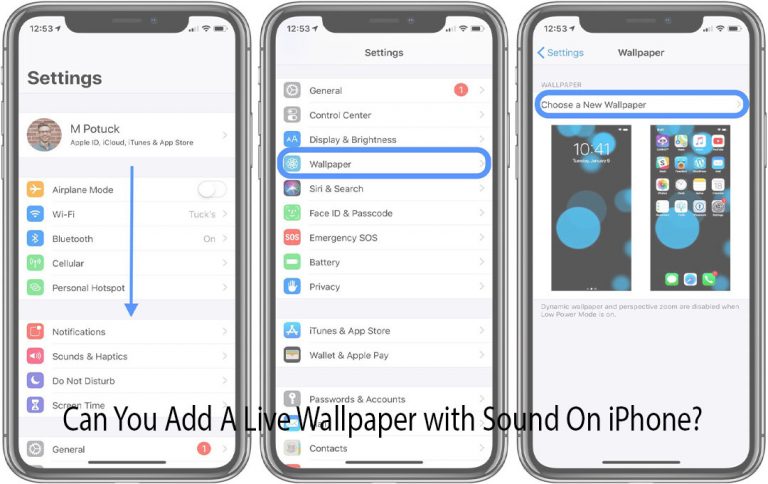
  • Go to Settings then select Wallpaper, and tap on Choose a New Wallpaper.
  • Select Dynamic or live depending on the type of wallpaper you want to add to your iPhone.
  • You will be able to see a full-screen preview of the wallpaper you have in mind by tapping it. For Live Wallpapers, long-press the screen to see the animations. While for Dynamic Wallpapers, wait a moment, and It will move on its own.
  • Tap ‘Set ‘, when you’re satisfied with your wallpaper selection.
  • Determine your wallpaper preferences by clicking ‘Set Lock Screen,’ ‘Set Home Screen,’ or ‘Set Both.’

Those are the step you have to follow to add live wallpaper on your iPhone.

How to Add Dynamic and Live Wallpapers on the iPhone

To see the wallpaper you prefer, follow the step below:

  • Lock your iPhone. Depending on the model, you can press the on/off buttons on the top or right-hand side of your device.
  • Click the screen or raise your iPhone to wake it up. Don’t unlock your iPhone yet.
  • Your screen will animate, depending on the type of wallpaper you have: if Dynamic wallpapers wait for it to animate. On your lock or home screens without any additional action, the wallpaper will animate.

While live Wallpaper you have to long-press the screen on the lock screen until the wallpaper starts animating. Live wallpaper only animates from the lock screen.

How to use Live Photos as Wallpaper

On your iPhone device, there are pre-installed Live Wallpapers, but you can also use Live photos as live wallpapers. Before you start you need to have a live photo on your phone before starting. Here are the steps:

  • Click ‘Settings.’ Then select ‘Wallpaper.’ Finally, click ‘Choose a New Wallpaper.’
  • Click the ‘Live Photos ‘album.
  • Find a Live Photo you like and select it.
  • Click ‘Set‘ after selecting the picture of your choice.
  • Determine your wallpaper preferences by clicking ‘Set Lock Screen,’ ‘Set Home Screen,’ or ‘Set Both.’

From the Home or Lock screens, you can view your new Live Wallpaper. However, as a Live Wallpaper, only when you long-press it from the Lock screen the feature will animate.

Check Out: