How to Set Up DMP In Salesforce Audience Studio

0

How to Set Up DMP In Salesforce Audience Studio – Before Salesforce DMP, salesforce Audience studio supported data-driven marketing efforts. It accumulates, organizes, and activates all first, second, and third-party audience data from online, offline, mobile, and more.

How to Set Up DMP In Salesforce Audience Studio

To reach them effectively such platforms permit firms to attain unique insights into their customers.

How to Set Up DMP In Salesforce Audience Studio

This page will help you out on how to set up the DMP salesforce Audience studio. Moreover, they are four main elements in Audience Studio and they include Site (and their configuration tags, Attributes, segments, and Activations. It is imperative to take a closer look at the implementation and maintenance of those 4 parts to get most of the solution.

However, through this article, you will be able to understand how these elements relate to each other and what each solution brings, showing the path to follow for configuring Audience studio.

Configuration of Elements in Salesforce Audience Studio

These are the configuration of elements in the salesforce audience studio:

Site:

The Types of Sites that can be configured are:

  • Gets information about impressions for media and clicks coming from media tools.
  • Retrieve information from the digital environment of the business for websites or applications.

You will have to create a config ID when creating a site, the site’s identity. Regardless of the source, all data submission implementation must be configured to point to that identifier. Well, regarding website and application, the way to set triggers for Audience studio is to apply the control tag to a particular website in that environment.

For media follow-up, moreover, the implementation is specific to each vehicle and works by tagging campaigns, time of impressions, and clicks.

Attributes:

Information is sent with triggers that detail what data can be used in Audience Studio, which are the control tags of Attributes. However, you can titivate these attributes in an application on both android and IOS. Audience Studios must be implemented, and the track page view event will be sent with information about the page or user attributes.

Furthermore, to activate the website features to capture the page information the salesforce team must configure each control tag. Therefore, this requires a list sent for each site and can follow the format of a dictionary. After the list is sent, there should be a confirmation that the configuration is complete.

How do Attributes work?  

If the site control tag is activated in the environments, the configured attribute must comply with the event pixel sent by the control tag. It should be available 24 hours after an attribute is first submitted, the Audience studio interface to manage certain attributes, such as category and display names.

More notably, to attribute popular display names it should be available. Must be active as well as deactivated. 24 hours after a feature is activated, when the number of users that triggered that attribute complies with the population limit rule. Hence, It should be available to be used as a rule in the segment and element of the tools.

 Segments:

To activate users in other tools segments are user audiences that can be used. These are six (6) types of segments that can be built into the tool, each with specific feature and purposes:

  • Standard – this help in aggregating users who meet the requirement of at least one rule and provides an accurate total population without duplication. Processing can be “on demand,” daily, weekly, or monthly.
  • Real-time – As soon as the segment’s rules are met it adds users to a segment. Used for page retargeting.
  • Composite – In a single event (same pageview) counts users who meet all rule requirements. This can be used to create an audience that engages with very specific content.
  • Transactions – Counts users who buy a specific quantity at a specific price, on a specific date, Used for retargeting, deletion, or study on clients.
  • Global Distribution – Uses data on impressions and clicks t create distribution frequency management for customers across channels and partners. In campaigns where the impact for some users is already saturated.
  • Platform – To the segment by offline uploading to S3 of the business’s salesforce project it counts the users added. The segment is used in the upload via ID.

Yes, most clauses use attribute specifications, other clauses, or third-party data in their terms. However, by the logical operators AND, OR, AND NOT, clauses that use attributes or other class rules can be joined, and rules can be grouped into sets. The tool brings with it a wide range of segment creation possibilities.

Activation:

Activation, in the case of Audience Studio, involves sending information about the segment and its users to other tools so they can work with them. Hence, this Will tackle some of the ways to do this in the tool: send to the site, SuperTag, and send to partners:

Send to Site:

This send-to-site activation option allows fragment data to be returned to websites in their local storage and applications’ event callbacks. Activating a segment in “send to site” automatically change the frequency of updating the segment to “Daily”. Furthermore, in the toll interface, enabling or disabling this option when editing or creating segments is possible.

SuperTags:

In Audience studio, every time a user enters a segment or trigger all across the site. As well as whenever a user is assigned a certain attribute or is created for another type of rule. It is possible to activate one pixel and a few lines of JS code. SuperTag can be a solution to manage third-party tags, allowing a single tag on activation of the tags.

Partners:

Whose integration is already mapped by the connecting server (s2s) Audience studio has an extensive list of partners. Moreover, this involves Sending pixels with segment information, or any other connection.

Does Salesforce have a DMP?

The Salesforce DMP’s cloud-based data platform operates in real-time, unifying people’s data from all screens and sources into a single view. Nevertheless, If the individual analyzes the data to recognize each preference and activation that data across any delivery channel

How does Salesforce DMP work?

Well, A DMP collects, organizes, and activates first, second, and third-party audience data from any source online, offline, mobile, and more. These platforms allow your company to gain unique insights into your customers and effectively segment and reach your audience.

Check Out:
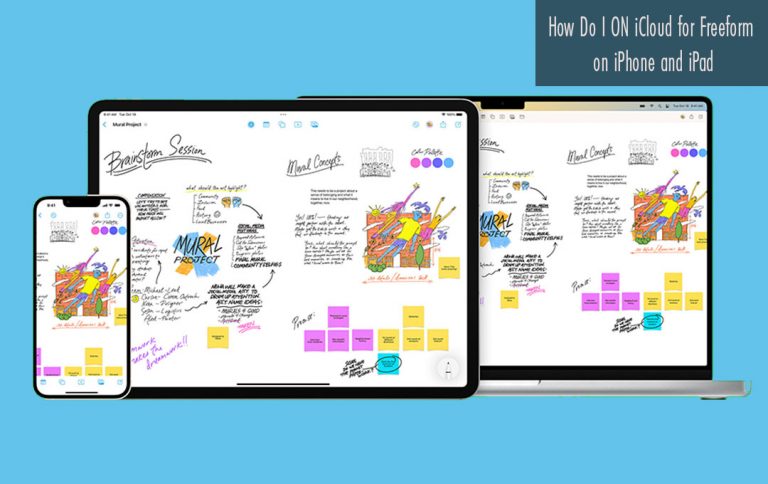
How Do I ON iCloud for Freeform on iPhone and iPad

0

When it comes to sketching striking images, jotting down ideas, or mastering your drawing skill Apple’s brand-new freeform app has all the bases covered. This application can take you to your destination when it comes to drawing/striking skills. However, you can also share your boards with friends to collaborate.

How Do I ON iCloud for Freeform on iPhone and iPad

You have to turn on iCloud for Freeform on iPhone and iPad before getting started with collaboration. If you don’t know how it is done just keep on reading.

How to Enable iCloud for Freeform on iPhone and iPad

If the iCloud syncing for freeform is disabled, you will have to enable it before sharing a board with anyone. Well, activating the iCloud syncing for the app is free. Below are the steps you need to follow:

  1. Lunch the setting app on your iPhone or iPad.
  2. Then, click on the apple ID Banner at the top of the screen.
  3. You can now select iCloud.
  4. Tap on Show All
  5. Scroll downward to find Freeform and turn on the switch next to it.
  6. You will see a popup message saying “what would you like to do with existing local Freeform on your iPhone or iPad?” Click on Merge in order to merge the existing boards.

If you follow the step provided above you will be el

How to collaborate by sharing Freeform bard with Others

Once, you have activated the iCloud for Apple Freeform app, you can start sharing your projects with anyone. Here is all you have to do:

  1. Open the Apple Freeform app on your iPhone or iPad.
  2. Navigate to the main screen and click the All-Boards options.
  3. Head over to the board you would like to share and tap on it.
  4. Now, tap on the share icon at the upper right corner of the screen.
  5. The standard sheet will appear on the screen with a ton of sharing options including messages, Mail, WhatsApp, and more. Then, you can choose the most preferred method to share the project. Once your friends have accepted the invitation, the collaboration will kickstart.

With the help of a dedicated tab, you can easily keep a track of the people with whom you are sharing a project and also revoke the access as and when the need arrives.

Can you Watch YouTube Videos on Apple Watch?

0

Nowadays, the smartwatch has become a common gadget. Every year, Apple brings new models of its gadgets like the iPhone, iPad, MacBook, and more.

Can you Watch YouTube Videos on Apple Watch?Many features that might not be available on the other brand smartwatches are offered by the Apple Watch.  Do you know if you can watch YouTube videos on Apple Watch? Read through this page to find out about that.
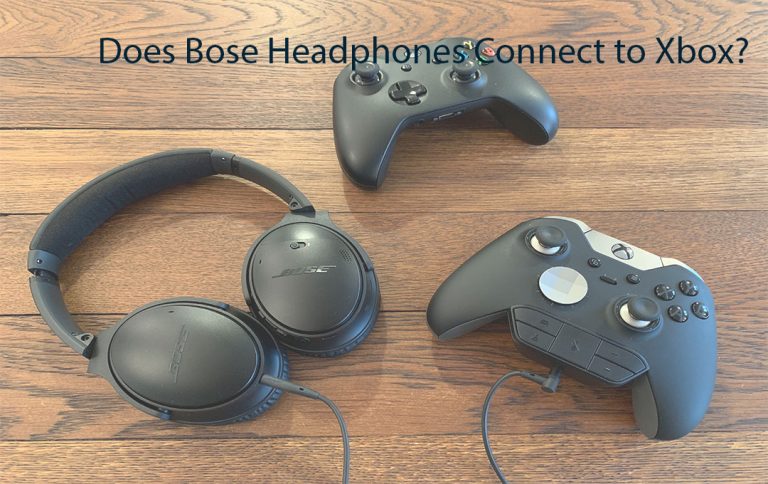
Can you Watch YouTube Videos on Apple Watch?

Can you Watch YouTube Videos on Apple Watch? Apple Watch offers many features that might not be available on other brand smartwatches. You can send and read messages on your Apple Watch, listen to songs, and answer phone calls even if your iPhone is not with you.

Well, you can’t watch YouTube videos on the watch, so for that, you will need your phone only. However, there is a way you can watch YouTube videos on the watch. To do that, you will need your phone only. But did you know there’s a way to watch YouTube videos on Apple Watch?

Does Apple Watch have YouTube?

Yes, you can watch YouTube videos on your Apple Watch with the help of an app called Watch Tube. Watch tube is a new app that allows you to watch any YouTube Video on your Apple Watch. The app is available for download on App Store. Once you install the app from the WatchOS App Store, you are ready to watch YouTube Videos.

How to Watch YouTube Videos on Apple Watch?

With the help of the app WatchTube, you can watch YouTube videos on your watch. Well, the app requires an Apple Watch running WatchOS 6 or above.

  • You can download the WatchTube app from the Apps Store
  • Then, Install it
  • The User interface is very good. There will be four sections: Home, Search, Library, and Settings.
  • Similar to the official YouTube app, on the home page, you can see trending videos
  • If you want, it also allows users to choose a specific category of videos to show on the home.

You can search for anything as the in-built search works very well. However, you can also use dictation and scribble to search for any video. The interface is almost similar to the official YouTube app. Users can also subscribe to channels and save videos in the library tab; you just can’t link your YouTube account.

Also, it provides a QR code so you can access and share a specific video to other devices like iPhones or iPad. Moreover, if you have an Apple watch, you can do so many things with a single gadget. Net every time you will be watching videos on watch, but sometimes, it’s a fun thing to do.

Frequent Ask Question

Can you browse the Internet on an Apple Watch?

Using the built-in Apple Watch browser, you can’t launch the web browser built into the Apple Watch from the standard grid or list of apps. Instead, you’ll have to access it by opening up a link from another smartwatch app.

Can I use Instagram on my Apple Watch?

Simply enter your Instagram credentials and you can enjoy access to your feed from your Apple Watch. To access stories, posts, comments, and explore, you will need to upgrade the app for an additional $1.99.

Can you watch Netflix on Apple Watch 7?

Getting Netflix on your Apple Watch is a sort of workaround. The Netflix app is not available for wearable devices. However, using the camera app, you can use your phone to live stream Netflix on a TV or computer screen.

Do all apps work on Apple Watch?

Your Apple Watch includes apps for a variety of communication, health, fitness, and timekeeping tasks. You can also choose to install third-party apps you have on your iPhone and get new apps from the App Store, either on Apple Watch or from your iPhone. All your apps are on a single Home Screen.

Does Bose Headphones Connect to Xbox? – How to Connect Bose to Xbox

0

Does Bose Headphones Connect to Xbox? If you are about to play a video game on your Xbox, you just need an appropriate head system to listen to your game and communicate with your playmates. Unfortunately, not all headsets and headphones work with Xbox, especially not wireless models.

Does Bose Headphones Connect to Xbox?

Does Bose Headphones Connect to Xbox?

Do Bose headphones work with Xbox? Well, Bose headphones are not considered compatible with your Xbox, moreover, with a little extra time, tools, and ingenuity, you can connect both wired and wireless Bose headphones to your Xbox.

Through this page, you will be able to understand why Bose isn’t considered a compatible brand and how to connect your headphones to your Xbox Keep reading to learn more.

Why is Bose Headphone not compatible?

Xbox did not make it easy to connect different headphones and headsets that are not sold by Xbox exclusives. Wireless headphones are even more difficult to connect because Xbox has a wireless protocol that is similar to Bluetooth but operates at a higher RF.

Furthermore, you can’t simply pug in Bose headphones or connect them via Bluetooth to your Xbox. However, to make it compatible you have to option to take a couple of extra steps.

How to connect Bose Headphones to Xbox

If you want to connect your Bose headphone to your Xbox it depends on the headphones you are using. You will get to know if you can connect to your Xbox wired or wireless.

check out :How to connect Xbox 360 controller

How to connect Wired Bose Headphones with Xbox

If the Xbox you have is a recent version of the Xbox one controller, it will be easy to connect your wired Bose headphones to your Xbox. Recent controllers come with a 3.4-millimeter jack. Do this by plugin the Bose headphones into this jack, and they are ready to work.

if you have an older model controller you can still use your wired Bose headphone, but you need an adapter. You can also purchase an adapter and place it inside the controller’s expansion port. The expansion port will come with a 3.5-millimeter jack. Plug the headphones into the jack.

How to connect wireless Bose Headphones with Xbox

Connecting your wireless Bose headphone is a little bit more difficult. To connect your wireless headphones, you will have to take an alternative route, Bose or otherwise. Well, there are three ways that you can use your wireless Bose headphones for your Xbox:

  • PC connection
  • Tv connection
  • Bluetooth transmitter.

PC Connection

A Windows PC account is a great option for you. It works whenever you connect your Xbox to your PC using the same network.

  • Download the Microsoft app and log into your account.
  • Allow the app to work on your PC.
  • Connect it to your Xbox.
  • Go to the Xbox app and add a device. This option should be located at the top left corner.
  • Search for your Xbox and it will connect once it is detected.
  • After connecting, you can control all of your Xbox functions using your computer, which means you can utilize your computer’s Bluetooth mechanism to connect to your Bose headphones.

Once you activate the computer’s Bluetooth mechanism and the two devices pair, you should be able to use your wireless headphones as expected.

TV Connection

Using the TV to connect your wireless headphones to your Xbox works very similarly to the above method.

  • Connect the Xbox HDMI cable to your TV.
  • Using the TV remote, select the Xbox HDMI video source.
  • Connect your wireless Bluetooth Bose headphones to the TV.

This will allow using your Bose wireless headphones with your Xbox.

Bluetooth Transmitter

A Bluetooth transmitter acts as the middleman between your headphones and the controller. Purchase a compatible transmitter.

  • Switch on the transmitter.
  • Plug the transmitter into the Xbox controller jack or adapter.
  • Turn on your headphones and allow them to enter pairing mode.
  • Hold the pairing button down on the Bluetooth transmitter for a few seconds for the devices to connect.

After the devices have paired, you can use your wireless headphone

Will Bose Quiet Comfort 35 work with Xbox?

Excellent quality online cable and boom microphone. It Will Work flawlessly on your Xbox one and Bose QC 35 series 2 headphones. The noise canceling still works on your headphones with this cable plugged in. The cable feels like a durable woven fabric that seems like it will last a long time.

Can I use Bose 700 headphones with Xbox One?

The Bose Noise Cancelling Headphones 700 is good for wired gaming. You can plug them into your Xbox or PlayStation controller, but you can only receive audio, so you can’t communicate with your teammates. On the plus side, the analog connection means they have no latency.

Can Someone Track Me on My Apple Watch?

0

In the area of our world today, there are a lot of legitimate reasons people worry about being tracked through their devices. This is because people with less-than-kind minds can utilize technology to do bad things.

Can Someone Track Me on My Apple Watch?

However, for juveniles tracking on devices is a bonus for parents, but this type of technology does have its detriments. Through this page, you will be able to understand everything concerning if someone can track you with your Apple watch.

Can Someone Track Me on My Apple Watch?

To be frank with you, it is possible to track other people using your Apple Watch and for them to track you. Through the Find People app installed on your watch, it can be easily done. Furthermore, it is normally restricted to the friends and family members you choose to add and follow.

Well, hackers can access your information and location through the app. If you have been wondering whether you can spy on someone with an Apple watch, the answer is yes. This app lets you find the people in your life and share your location with them.

Apple Watch Tracking

Find People could be a handy app that can help you keep in touch with your closest friends and family. But, for some, this might be a little too close for comfort. You can get notifications when your friends or family members leave or arrive at certain locations.

Yes, your loved ones can do the same thing for you on their Apple Watch (series 3 or later), Apple Watch SE, iPhone, iPad, or iPod touch. You have to consider the pros and cons before you use this app on your Apple Watch.

Can Someone Tell Your Location from the Apple Watch?

Apple Watch has some potential for tracking. Being a member of a family, you can set up family sharing. Through this group, you will be able to use the find my iPhone app on other users’ devices or with iCloud.com. If done from a web browser you can also locate your devices the Find People app. This application can be used without or with family sharing.

This App doesn’t allow people who have added each other to track one another locations and update a contact on their comings and goings.

What is the Find People app?

Find People is an application you can make use of on your iPhone, iPad, iPod touch, Apple Watch SE, or Apple Watch Series 3 or later. This app allows you to see where your friends are and let them know where you are. with that, You can receive alerts for where your contacts are located and let them know where you are heading to or leaving from.

You will get the location on a map, location information is sent only when someone requests to see it, which means that it is not transmitted regularly. users can also request a notification when one of your contacts leaves their current location.

Changing Your Privacy Settings

You can make use of privacy settings on your operating system to take more control over which apps can access the information that you have stored on your device. visit settings> privacy to see which apps are allowed access to certain information and to change the restrictions as you see fit.

Apps will be given default access to iCloud Drive when you sign in to iCloud. Through that, you can view and manage apps that are allowed to use iCloud when you go to iCloud in your Setting.

What are the Dangers of Using Find People?

Find People can be a fun and helpful app when you are using it between friends and family. Within people whom you should be able to trust. But there are more unsavory characters in this world who aren’t to be trusted. The safety protocols put in place by Apple can easily be gotten past by hackers.

As is the case with any app, your information is only safe to an extent. Find People is an app that stores a fair amount of personal information for both of your contacts. Yes, you can switch off location sharing when you want. Hackers can still access all the data you have stored in the app.

Is the Find People App Safe to Use on My Apple Watch?

Apple has taken some measures to keep its users safe. Using apps like Find People with your Apple Watch can make you vulnerable. Unless you give them your consent no one should be tracking you. Of course, as far as kids and teens are concerned, they might not be making the wisest decisions. This is why Apple encourages parental involvement in this regard.

In terms of functionality, this app isn’t that different from other location-sharing services. But it does let you use more age-appropriate controls (a bonus for parents) and enable temporary location sharing.

Check Out:

Kuda Bank Savings Account Interest Rate

0

Kuda Bank is a Nigerian digital bank that offers its customers an entirely digital banking experience. It was founded in 2019, Kuda Bank aims to make banking accessible and affordable to everyone. Which reduces the need for physical branches and long queues.

Kuda Bank Interest Rate

Kuda Bank offers savings accounts to its customers. It helps users to save money and earn interest on their savings. The Kuda Bank savings account is entirely digital. This means that customers can manage their accounts through the Kuda Bank app without the need for physical branches or long queues.

What is Kuda Bank Savings Account?

Kuda Bank savings account is a type of bank account that allows customers to save their money and earn interest on their savings. Kuda Bank offers competitive interest rates on its savings accounts to encourage customers to save money and earn higher returns on their savings.

The interest rate on a Kuda Bank savings account is a percentage of the account balance and is calculated daily and paid monthly.

Kuda Bank Savings Account Interest Rate

The interest rate on a Kuda Bank savings account is 15% per annum. It is higher than the interest rate offered by many traditional banks you can find in Nigeria. However, interest rates are expected to change based on various factors such as market forces and the central bank’s monetary policy.

Kuda Bank offers different types of savings accounts, such as Flex Savings, Target Savings, and Regular Savings, each with different interest rates and features. The interest rate may also vary depending on the type of savings account and the account balance. Customers can view the interest rate on their savings account within the Kuda Bank app and monitor their earnings.

Types of Kuda Bank Savings Account Interest Rate

Kuda Bank offers different types of savings accounts, each with its interest rate and features. Here are the types of savings accounts that Kuda Bank offers:

  1. As You Want: As you Want saving method offers a competitive interest rate of 5% and allows customers to withdraw their funds anytime without any penalties. Users can save whenever they can and withdraw whenever they want.
  2. Frequently: Frequently saving account is designed to help customers save towards a specific financial goal, such as buying a car or going on vacation. The interest rate on the Target Savings account may vary depending on the savings goal and the duration of the savings plan. You will lose interest for the month if you withdraw.
  3. Kuda spends + save: Spend + Save is an exclusive feature that saves money for you automatically every time you spend from your Kuda account. You can withdraw from your Spend + Save savings anytime.
  4. Fixed Deposit: Fixed Deposit on kuda is a basic savings account that allows customers to earn interest on their balance. Users can choose to save daily weekly or monthly. The interest rate on Regular Savings is 7.5% per annum. You will lose accrued interest if you withdraw before your savings maturity date.

Those are the three types of Kuda bank Saving options.

Check out: How to save on kuda

Benefits of Kuda Bank Savings Account

There are tons of benefits you can get in having a Kuda Bank savings account. These are some of the main advantages:

Higher Earnings: With a higher interest rate, customers can earn more money on their savings. Kuda Bank offers a competitive interest rate of 5% per annum. It allows customers to earn a decent return on their savings.

Compound Interest: Kuda Bank savings accounts offer compound interest, which means that customers can earn interest on their interest. Over time, this can significantly increase the amount of money users earn on their savings.

Flexibility: Kuda Bank savings accounts offer flexibility in terms of deposit and withdrawal. Users can deposit or withdraw money from their account anytime without any penalties, making it easy to save and access funds in a time of need.

Easy Access: Kuda Bank savings accounts can be easily accessed through the Kuda Bank app. Customers can view their account balances, monitor their earnings, and make transactions anytime, anywhere.

Having a saving account with Kuda can give can provide users with a reliable and convenient way to save money and earn higher returns on their savings.

Conclusion

The interest rate can change based on various factors like market forces and the central bank’s monetary policy. You can see the present interest rate offer on your saving account with the Kuda Bank app and monitor your earnings. However, save with any of the three types of saving options on Kuda. To earn more from saving, users should maintain a high balance and avoid frequent withdrawals.

Check Out:

How to Save on Kuda Bank – Save with Kuda

0

Kuda Bank savings account is a type of bank account that allows Users to save money and earn interest on their savings. Kuda Bank is an online bank that operates entirely through a mobile app, making it convenient for users to access their savings anytime, anywhere.

How to Save on Kuda Bank

With the Kuda Bank savings account, customers can add and withdraw money, check their balance and transactions, and gain interest on their savings. Kuda Bank offers a good interest rate on its savings accounts.

Requirements to save with Kuda bank?

These are the conditions you need to meet to be able to save with Kuda:

  • Be a minimum of 18 years old and a Nigerian citizen
  • You need to have a Kuda account
  • A smartphone(iOS/Android) that supports the latest version of the KUDA app.
  • To get a full KYC account you need to provide your Phone number, BVN, and a Valid ID. I like National ID Card, Voters Card, Drivers License, or National passport.

The advantage of a full KYC account type over the basic account type is that you will not have a limit on maximum single deposits and accounts. With Full your saving account with Kuda will be able to hold an enormous amount of money.

Check Out: Kuda saving option and their interest rate

How to Open a Kuda Bank Savings Account

Are you looking for a way to start saving with Kuda bank? Then make use of the steps available below. Follow the steps to create a Kuda bank savings Account:

  • Begin by downloading the Kuda Bank app, which is available in both App Store and Google play store.
  • If you don’t have an account with Kuda create one, but if you do just simply log in.
  • After registering and verifying your new account or logging in to your existing account
  • On the app’s main home screen tap on “save”. It is located at the top center of the home screen below your profile.
  • Then either click on “Add Pocket” or “Save Now” and select the type of save features you which to use. You can choose to save with any method they include: (As You Want, Frequently, Kuda Spend + Save, and Fixed Deposit)
  • Once you select the saving method you wish to use follow the onscreen process and start saving.

With the steps available above you will be able to start saving with Account.

Is It Safe to Save with Kuda Bank?

Yes, of course. Kuda Microfinance Bank is a leading full-service digital Microfinance bank. It is licensed in Nigeria with the Corporate Affairs Commission (RC 796975) and duly registered by the Central Bank of Nigeria (CBN). Your deposits in Kuda bank are insured by the Nigeria Deposit Insurance Corporation (NDIC).

Conclusion

Kuda Bank is nice and reliable for people who wish to easily save money and manage finance. With Kuda, you can set up a savings goal and gain interest when saving.

If you a looking for a good digital modern bank with a user-friendly experience for saving, you can make use of Kuda. Nevertheless, you can find everything you need above on How to Save on Kuda Bank

Check Out: 

How to Borrow Money from FairMoney

0

FairMoney is a well-known loan app in Nigeria. They offer their users an easy and stress-free way of lending money. Borrowing Money from FairMoney started in early March 2018. The online lending platform has given over one thousand five hundred loans daily to Nigerians.

How to Borrow Money from FairMoney

Before the launch, FairMoney has been able to help thousands of Nigerians and Nigerian businesses inch a bit closer to their dreams by providing them with the financial backing they cannot afford at the moment. They have made it possible for individuals and small businesses to thrive despite the reality of their situation.

About FairMoney

FairMoney is a leading Nigerian-French FinTech company that offers loans in Nigeria. They provide quick loans to Nigerians without collateral. However, since its entrance into the lending sector in Nigeria, the company has earned positive reviews from its users. this licensed company gives loans through its mobile app and they offer flexible interest rates.

Signing up for FairMoney is easy, as you can easily do that using your Facebook account. That alone reduces the need to worry about difficulty in signing up to get a loan. To Borrow Money from FairMoney is easy.

Check out: How to Borrow Money from PalmPay

What Do I Need to Apply for FairMoney Loan

Below are the requirements to get a loan from FairMoney:

Basic personal information such as name and email

  • Bank Verification Number (BVN)
  • Bank Account details
  • Automated Teller Machine card (ATM card). This is needed because it will be used to debit you for loan repayment.
  • A photo of you may be needed in real-time
  • You can only apply for the loan from the app

Everything listed above is all you need to apply for the FairMoney Loan.

How to Borrow Money from FairMoney

Below are the steps you need to follow to get a loan from FairMoney:

  1. Download the Android app from Google Play Store or App store.
  2. Sign up or log in with your phone number or Facebook profile.
  3. Create a profile as a new user and apply or apply for a loan as an old user.
  4. You will later be credited with money in your bank account within a matter of minutes.

With the steps you can find above you will be able to get money from FairMoney with ease. To FairMoney their customer experience and satisfaction are one of their major priorities.

FairMoney Loan Review

To get a loan you need to go through a certain process and as well have all the requirements. Well, FairMoney makes all that easy this makes them a fast and reliable option to make us of every time. Your loan will be approved within minutes, and there is no collateral or guarantor needed.

How much can I Borrow from FairMoney?

Users can access a FairMoney Loan in the range of ₦1,500 to ₦500,000 with durations for loans up to 2 months and above. The monthly interest is also up to 10%-30% monthly. The process does not incur any additional fees or hidden costs when processing the loan.

Check out: 

How to Borrow Money from PalmPay

0

Have you heard about PalmPay loans? wondered how can you borrow money from PalmPay even though it’s not really a loaning app.  Well, the question to that answer is very simple. PalmPay is not known to be a loan app but it’s one of the best loan apps in Nigeria despite being a digital banking app.

How to Borrow Money from PalmPay

Users now have the opportunity to not only request loans but at the same time enjoy the privilege of instantly getting the loan. You will receive step-by-step on how to borrow money from PalmPay and have it credited to your account without any further stress.

About PalmPay Loans

PalmPay loans focus on providing financial access to PalmPay users in Nigeria. This system is designed to grant any PalmPay user loans in the fastest way possible. PalmPay offers fast loans and one of the best features of loaning from them is that you don’t need a guarantor and neither collateral will be needed if you want to loan from PalmPay.

New customers on PalmPay can borrow up to ₦10K from PalmPay and old customers can borrow more. If you want to know how to borrow money from PalmPay, just follow the simple steps below.

What do you need to borrow from Palmpay?

Before you can get a loan on the PalmPay app, you’ll need to have the following details below. They’ll mostly be need them when you are just creating an account on PalmPay. You must have a PalmPay Account before you can apply for loans.

  • Valid Bank Account
  • BVN
  • Means of Identification (NIN, Int Passport, Driver’s License, Voters Card)
  • Utility Bill

How to Borrow Money from PalmPay

Before you apply for loans on PalmPay, you’ll need to follow the steps below. These steps are available for new users who want to sign up on PalmPay and borrow money from PalmPay.

  1. Download PalmPay & Sign up

To get started, download the PalmPay app on your Android or iOS device, you can use the app button below to download from Google Play Store or Apple Store. Once done, launch the app and register for an account.

  1. Install and Grand App Access

After signing up there would pop up a command prompt to allow PalmPay access to certain settings on your phone. If this pops up click the “Allow” button and they will direct you to your setting app. On your Setting app, move the checkout button to one to effect the change. If you didn’t receive a notification to allow it, go to your settings and manually allow the app to make changes to your device.

  1. Add BVN and Other Details

You’ll need to enter your Bank Verification Number and some important details like your means of identification, you will also need to link a bank account to your PalmPay account. This will allow your credit score on PalmPay to increase for bigger loan options.

  1. Borrow Money from PalmPay

As a newly registered user on PalmPay, you’re expected to receive a very low loan offer, but an old PalmPay user stands a chance to get bigger loan options on the PalmPay app. To borrow money from PalmPay, here’s what you need to do. Click on the home dashboard and locate the Finance Tab on PalmPay > Click on Loan > Enter required details > Wait for a few mins for validation.

  1. Withdraw Funds

Once your loan is confirmed , you can now withdraw your funds, you can either send the money to another bank account that is yours or you withdraw it to the linked bank account on your PalmPay account. Once you’ve done that, you should repay your loans as soon as possible to get a bigger loan offer next time.

Conclusion

You can easily get a PalmPay loan with BVN. But to get more you need to add your bank verification number. Nevertheless, as of now, there is no PalmPay loan code to access this service. But the company will look into adding it in their future update.

Easy way to Tell a fake AirPods Pro or AirPods

0

Easy way to Tell a fake AirPods Pro or AirPods?  (is your AirPods Pro or AirPods Fake?)  You will be able to tell if your AirPods are fake easily on this page and as well as several surefire methods to spot fake AirPods. Well, they are a lot of AirPods and AirPods Pro that seem too good to be true.

Easy way to Tell a fake AirPods Pro or AirPods

Furthermore, you will get to know how to check if AirPods are real so that you can avoid falling for knock-off AirPods. You just have to know the quick fake AirPods identification method and then the science experiment way.

Fake AirPods vs Original: Unique Apple Features Check

With the serial number in your AirPods, you can quickly use it to verify the authenticity, but it is no longer a foolproof method. When to your iPhone, below are the steps you need to spot a fake AirPods Pro or AirPods Quickly:

  • Lunch settings on your iPhone
  • Click Bluetooth.
  • Ensure the AirPods you are checking are connected
  • Then tap the i-icon next to the AirPods.
  • An original AirPods will have many features like Noise Control, Ear Tip Fit test, and more.
  • Once you scroll downward, you will see the option to View in Find Me.
  • While it is possible to add third-party headphones to Find Me, They Would show up in the Items tab. Real AirPods show up in the Devices tab.

What you have above is one of the best ways to know authenticate your AirPods and Cannot do this, check out the other methods in this content. Apart from these methods, the scientific method should help you identify fake AirPods Max, and AirPods, sign up for our Tip of the Day newsletter.

How to Check an Apple AirPods Serial Number

Fake AirPods Pros or AirPods can be spotted easily via serial numbers. Begin by making sure that the serial number on the actual AirPods is. When your AirPods. If your AirPods serial number doesn’t match, your AirPods may be fake.

  • Find the serial number on the packaging box that your AirPods came in. If you no longer have the box, Skip this step.
  • Find the serial number on your AirPods. It should be on the inside of your AirPods charging case.
  • Visit the official website for AirPods serial number checker at https://checkcoverage.apple.com/hk/en/
  • Enter the serial number and the verification code, then tap Continue
  • As you can see, my real Apple AirPods Preshow up. I Bought mine refurbish on Amazon, so I get an expected ‘Purchase Date not Validated’ Message.
  • If you enter a serial number on AirPods Pro and this window shows AirPods or Vice Versa, you likely have a fake AirPods Pro With a stolen serial number.

That is all you have to do to check your AirPods Pro serial number please remember that this is not a surefire way to spot fake AirPods because some manufacturers copy serial numbers from original AirPods. However, the likelihood of this is low.

How to See If AirPods Are Real by Checking the Packaging

An important step in checking if AirPods are original is taking a closer look at the packing. Just like mentioned above, the serial number of your AirPods should be the same on the box and inside the charging case. Then, go through the text for types, fake logos, and unusual colors. Yes, Apple’s packaging is also always super snug and perfectly neat.

If you hold the lid of the box, the bottom part will slide our show to See If AirPods Are Real by Checking the Packaging way and smoothly. If you notice that the box isn’t sturdy or feels loose, you may have fake AirPods. Take a close look at the labels.

Apple tends to use several different labels per product, for example, the label with the serial number will be separate from the label describing compatibility. Fake AirPods manufacturers may put all the information on one label and not take as much car to position it perfectly centered and straight.

How to Tell If AirPods Pros Are Fake by Performing a Physical Check

There are several physicals that you perform to make sure your AirPods or AirPods Pro is real. Apple AirPods charge via a lightning port, so if your AirPods have a different port, that’s a big clue that they are fake. Plus, an authentic Apple AirPods lightning port is lined with metal.

Most fake AirPods will look almost identical to the real ones, which is why software and serial number checks are the better way to go. However, if you want to get authenticated AirPods to do a side-by-side physical comparison, you could be able to spot a fake by differences in the gills, color, text font, lights, shape, and case fit.

How to know an original AirPods using Science

In science class, they have all tried fun experiments, but this one doesn’t require beakers, hot plates, or even a measuring cup.

Apple AirPods and AirPods Pro have magnetic parts that you can only find in the original AirPods usually don’t This method does not work on AirPods Max. If you have AirPods place one on a flat surface and hold the other one in your hand. Bring the acoustics outlets close together and notice if the magnet repels.

You will have to remove the AirPods tips, and for the same process to see it there is a magnetic reaction for Pro models. To be frank, some models of fake AirPods may also repel, so this is not an exact science, pun intended.